The Best Next.js Template for a Real Estate Website
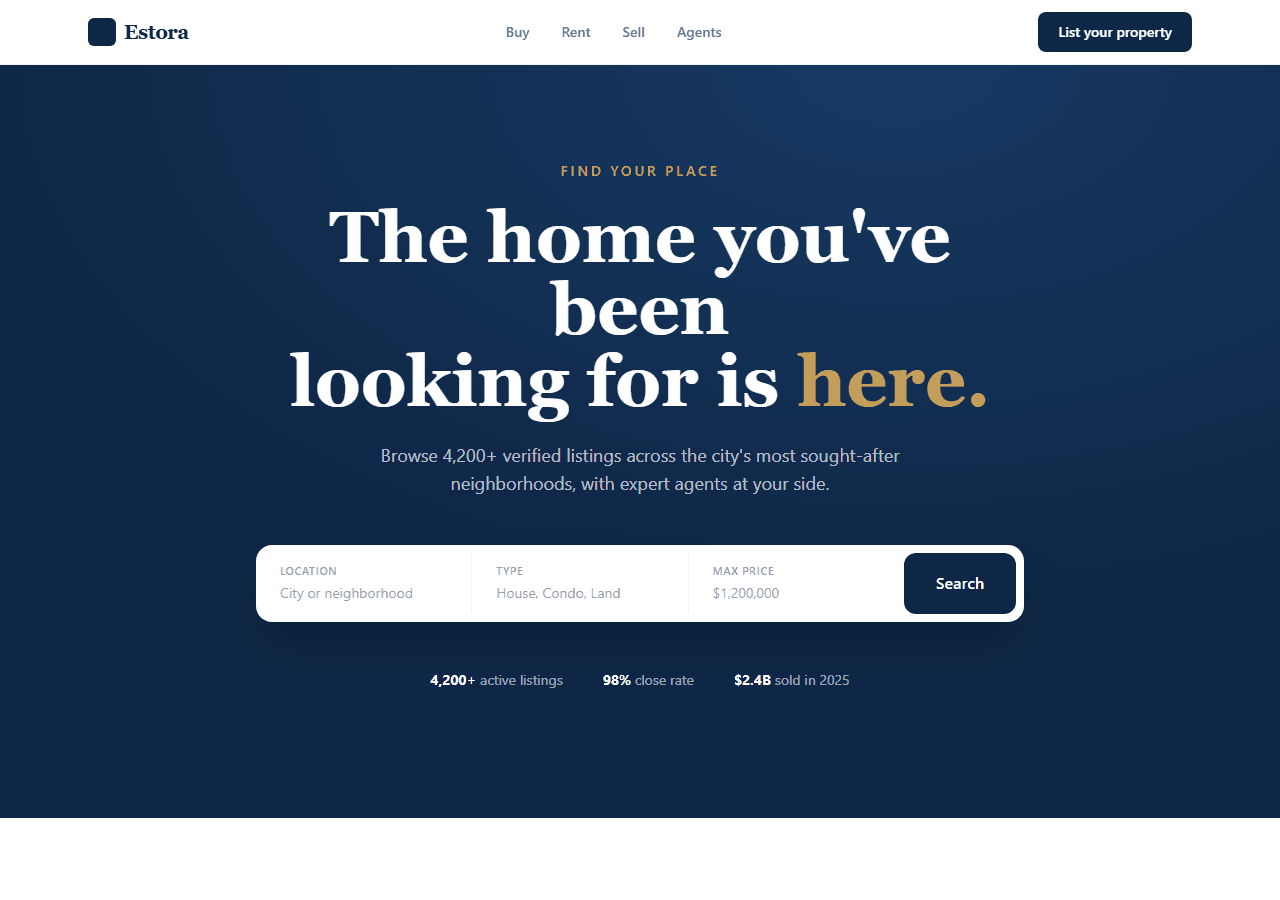
Most “real estate templates” you find are a single landing page with a hero image and a contact button. That is not a real estate site. A realtor's site lives or dies on one thing: can a buyer browse listings and inquire on the property they want? Here is what that actually requires — and how to skip building it from scratch.
The four things a property site has to do
Strip away the marketing copy and a working real estate site is just four capabilities:
- A filterable listings page.Buyers filter by price, type, location, or beds. A static grid with no filtering forces them to scroll past every property they don't want.
- A detail page per listing. Each property needs its own URL with a photo gallery, price, specs, and an inquiry CTA. This is also what lets an individual listing rank in Google.
- Fast images on mobile. Property photos are heavy. Most buyers are on a phone. Unoptimized images are the number-one reason a listing page feels slow.
- A lead form that works.The whole point is the inquiry. A form that doesn't submit, or has no spam guard, leaks every lead you paid to attract.
How to build it in Next.js (the App Router way)
The clean pattern is to keep listings as data and generate a static page for each one. In the App Router you do this with generateStaticParams — Next.js pre-renders one HTML page per listing at build time, so each property URL loads instantly and is fully crawlable:
// app/listings/[slug]/page.tsx
import { listings } from "@/data/listings";

export function generateStaticParams() {
  return listings.map((l) => ({ slug: l.slug }));
}

export default async function ListingPage({
  params,
}: {
  params: Promise<{ slug: string }>;
}) {
  const { slug } = await params;
  const listing = listings.find((l) => l.slug === slug);
  if (!listing) return null;
  return <ListingDetail listing={listing} />;
}
For the heavy photos, use next/image rather than a raw <img>. It serves correctly sized, modern-format images and lazy-loads everything below the fold — which is most of a listing gallery:
import Image from "next/image";

<Image
  src={listing.cover}
  alt={listing.title}
  width={800}
  height={600}
  className="rounded-xl object-cover"
  priority={false}   // only the first image should be priority
/>
Keep all your listings in a single typed array (data/listings.ts). Filtering then becomes a plain .filter() on that array, and the day you outgrow static data you point the same components at a CMS or database — the UI never changes. That single-source-of-truth pattern is what keeps a real estate site maintainable instead of a tangle of hardcoded pages.
Don't forget the lead form
A buyer-ready listing page with a broken inquiry form is worse than no site. Wire the form to a real endpoint, add a honeypot field against bots, and confirm submissions actually arrive before you run a single ad. Then deploy to Vercel — App Router static pages plus serverless form handling fit its free tier comfortably for a single agent's site.
The shortcut: a real estate template that already does this
All four capabilities above — filterable listings, per-property detail pages, optimized images, and a working inquiry form — are exactly what the Real Estate template in this collection ships with, wired to a single config object. You replace the sample properties with yours and the listing pages, filters, and detail URLs generate themselves.
You can inspect the live real estate demo before buying — open a listing, use the filters, view source to see the static HTML. The full bundle of 20 templates is $79 — the better deal if you build sites for clients across niches.